
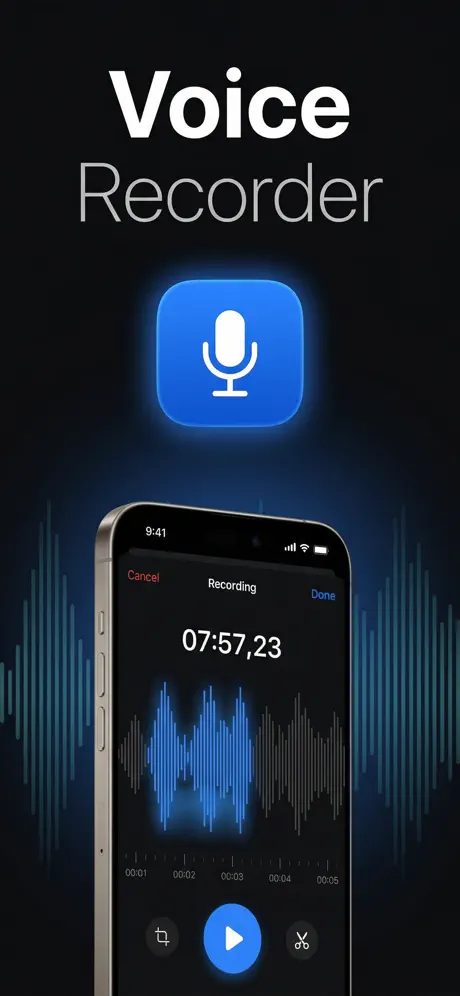
Your voice, instantly organized.
Record, transcribe, and summarize — Notafy turns your voice into structured notes with AI.
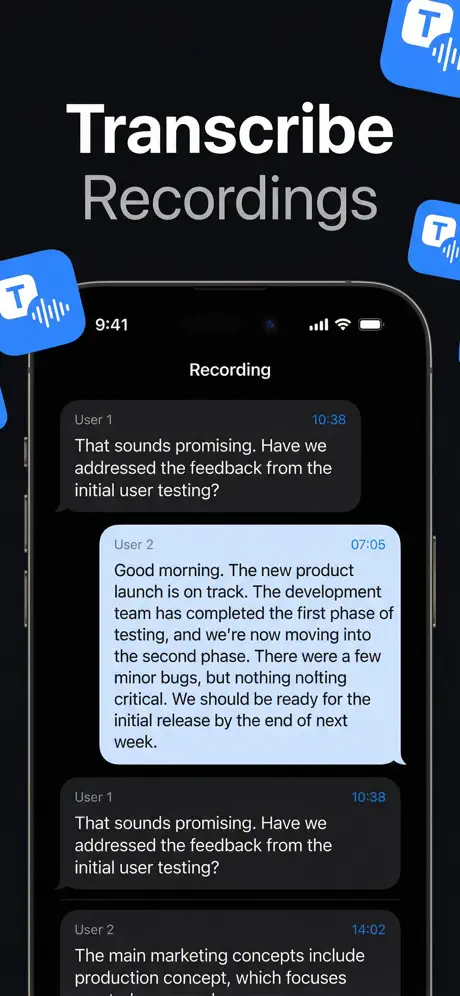
Why Notafy?
AI Summaries
Get instant key points and summaries from any recording. No need to re-listen to long audio.
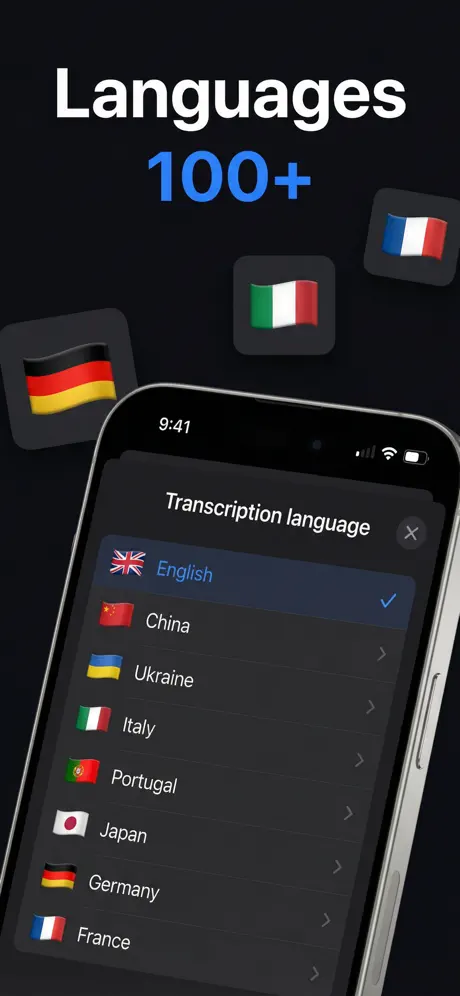
20+ Languages
Transcribe in English, Spanish, French, German, Russian, Chinese, Japanese, and many more.
Smart Organization
Auto-organize with tags: Notes, Meetings, Work, Music, Education. Find anything instantly.
How it works
Record
Tap to record any lecture, meeting, interview, or idea. Background recording lets you use other apps while Notafy captures audio.
Transcribe
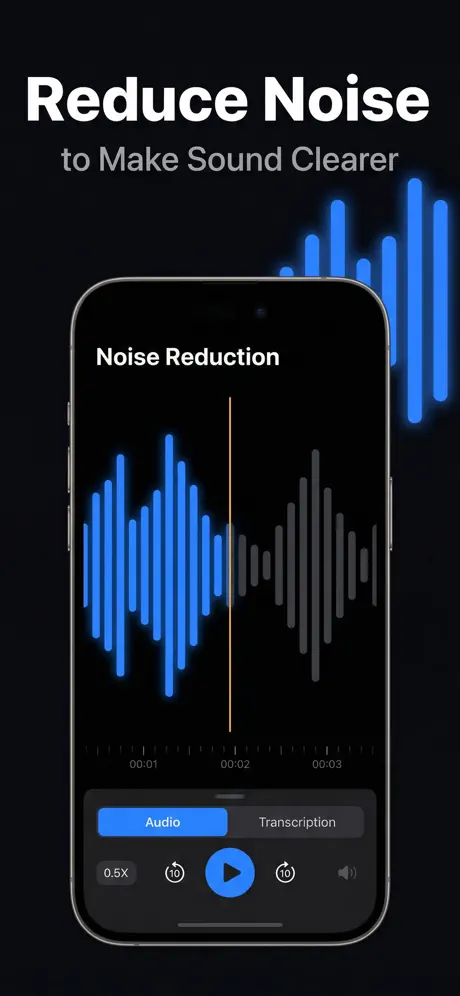
AI converts speech to accurate text in 20+ languages. Handles accents, different speaking speeds, and background noise.
Summarize
Get key points, action items, and a concise summary instantly. No need to re-listen to the entire recording.
Organize
Smart tags keep everything searchable and organized. Notes, Meetings, Work, Education — find any recording in seconds.
What is Notafy?
Notafy is an AI voice recorder and speech-to-text app that turns spoken words into organized, searchable notes. Whether you are a student recording a two-hour lecture, a journalist capturing an interview, or a professional documenting meeting decisions, Notafy eliminates the need to re-listen or type manually. Press record, and the app handles everything else.
The AI transcription engine processes audio in over 20 languages — including English, Spanish, French, German, Russian, Chinese, and Japanese — and delivers accurate text even with background noise or mixed accents. Once transcribed, the AI generates a concise summary with key points and action items, so you can review a 60-minute recording in under a minute.
Notafy goes beyond basic voice recording with smart organization through tags (Notes, Meetings, Work, Music, Education), a built-in audio editor for trimming before transcription, Siri Shortcuts for hands-free recording, and background recording that lets you use other apps while capturing audio. Import existing audio files in M4A, MP3, or WAV formats and transcribe them instantly. Available on iPhone, iPad, Mac, and Apple Vision Pro, your recordings and notes sync across all your Apple devices via iCloud.
Frequently Asked Questions
How does Notafy transcribe audio?
Notafy uses advanced AI speech recognition to convert your voice recordings into accurate text. When you record or import an audio file, the app sends the audio to a secure cloud-based AI engine that analyzes speech patterns, separates words from background noise, and produces a full text transcription. The AI is trained to handle different accents, varying speaking speeds, and overlapping voices, making it reliable for real-world conditions like busy offices or lecture halls. Transcription of a typical 30-minute recording completes in under a minute. Once the text is ready, Notafy automatically generates an AI summary highlighting key points, action items, and important decisions, so you can quickly review the most important parts without reading the entire transcript.
What languages does Notafy support?
Notafy supports transcription in over 20 languages, covering most major world languages: English, Spanish, French, German, Italian, Portuguese, Russian, Chinese (Mandarin), Japanese, Korean, Arabic, Hindi, Dutch, Polish, Swedish, Turkish, and more. The AI engine can automatically detect which language is being spoken in most cases, or you can manually select the language before starting a recording for maximum accuracy. This multilingual support makes Notafy particularly useful for international professionals, language students, translators, and travelers who need to capture and transcribe speech across different languages. Each language model is optimized for natural conversational speech as well as formal presentations.
Is Notafy free to use?
Yes, Notafy is free to download from the App Store with no upfront cost. The free tier includes core voice recording, audio transcription, and note organization features, so you can start capturing and transcribing your voice memos, lectures, and meetings immediately. For users who need more advanced capabilities, Notafy offers a Premium subscription at $9.99 per month or $39.99 per year (saving over 65% compared to monthly billing). Premium unlocks unlimited AI-powered summaries with key points extraction, advanced export options for sharing transcripts, priority cloud processing for faster transcription speeds, and access to all future premium features as they are released. You can try the app completely free and upgrade only if you find value in the additional AI features.
Can I use Notafy for meetings?
Notafy is designed to be an excellent meeting companion for professionals. The background recording feature allows you to use other apps — checking email, taking manual notes, or following a presentation — while Notafy continues capturing audio in the background. After the meeting ends, the AI processes the full recording and generates a complete transcription along with an intelligent summary that highlights key decisions, action items, and discussion topics. This is particularly valuable for team standups, client calls, project reviews, and brainstorming sessions where important details can easily be forgotten. Many users also find Notafy useful for recording lectures, interviews, medical appointments, and phone calls where having an accurate text record saves significant time and prevents miscommunication.
Does Notafy work offline?
Notafy supports offline recording, meaning you can capture audio anytime and anywhere without an internet connection. Recordings are stored securely on your device and remain available for playback even without connectivity. However, the AI-powered transcription and summarization features require an active internet connection because the speech processing happens on secure cloud servers optimized for speed and accuracy. This cloud-based approach ensures you get the highest quality transcription regardless of your device model. Once you reconnect to the internet, you can transcribe any recordings you made while offline with a single tap. This makes Notafy ideal for fieldwork, travel, underground transit, airplane mode situations, and anywhere else where you need to capture audio first and process it later.
What platforms is Notafy available on?
Notafy is available across the Apple ecosystem: iPhone (requires iOS 17 or later), iPad (iPadOS 17+), Mac (macOS 14 Sonoma or later with Apple Silicon M1 chip or newer), and Apple Vision Pro (visionOS 1.0+). Your recordings, transcriptions, and organized notes sync automatically across all your Apple devices through iCloud, so you can record a lecture on your iPhone and review the transcription on your Mac or iPad later. The app is optimized for each platform, taking advantage of larger screens on iPad and Mac for side-by-side reading of transcripts and summaries. The Apple Vision Pro version brings voice recording into spatial computing, allowing you to capture and organize notes in an immersive environment.
Is my data private and secure?
Yes, privacy and security are core priorities at Notafy. All audio recordings and transcriptions are encrypted during transmission using industry-standard TLS/SSL protocols, ensuring your data cannot be intercepted in transit. Voice data sent to our cloud servers for AI processing is handled securely and is not stored longer than necessary to complete the transcription. We do not share your recordings, transcriptions, or personal data with third parties for advertising, profiling, or any purpose unrelated to providing the transcription service. You maintain complete ownership and control over your data at all times and can delete individual recordings or your entire account data through the app settings. Notafy does not use your voice data to train general AI models. For complete details on our data practices, you can review our Privacy Policy linked in the app and on our website.